
Manage users
On the Team tab in Company settings, you can invite users, manage user access, and download a team report.
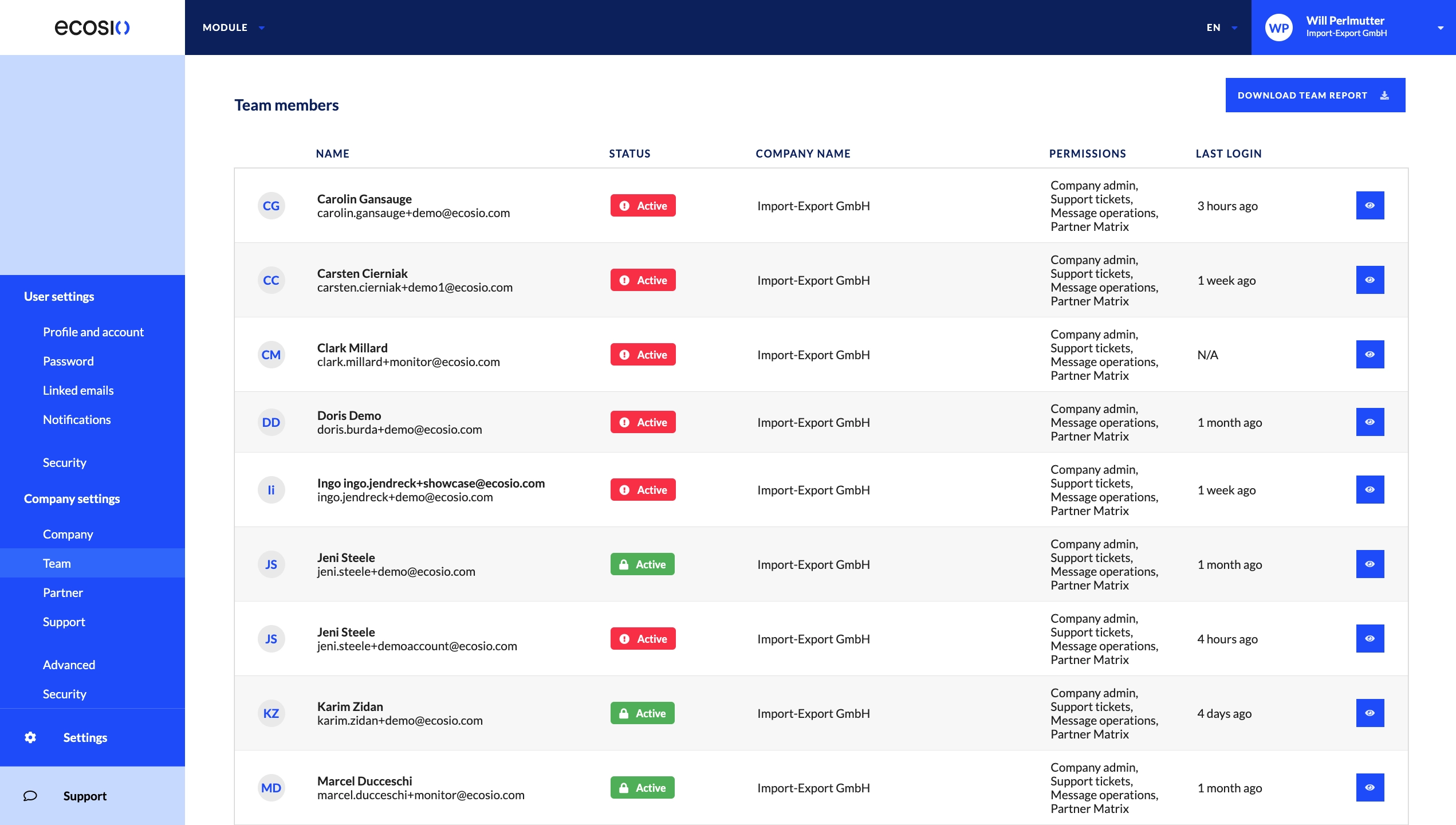
The following information is displayed for each user:
- Name: The first and last name of the user.
- Status: Combined indicator showing the user’s account status and security settings.
- Active or Inactive
- : MFA enabled
- : MFA disabled
- : SSO enabled
- Company name: The company the user is assigned to.
- Permissions: The permissions the user has.
- Last login: When the user most recently logged in.
Prerequisites
You must have the Company admin permission to invite and manage users.
Permissions
The following permissions control what users can do in the Monitor:
- Company admin: Invite and manage users, and change company profile information.
- Message operations: See message details, download messages, and manually upload messages.
- Partner matrix: View the Onboarding collaboration hub.
- Support tickets: View and respond to support tickets.
- Flow operations: View EDI relations and manage flow details.
- Connectors: View and manage connectors.
Updated 7 days ago
Did this page help you?