
Manage message file naming conventions
You can change the folder structure and filenames of your downloaded messages.
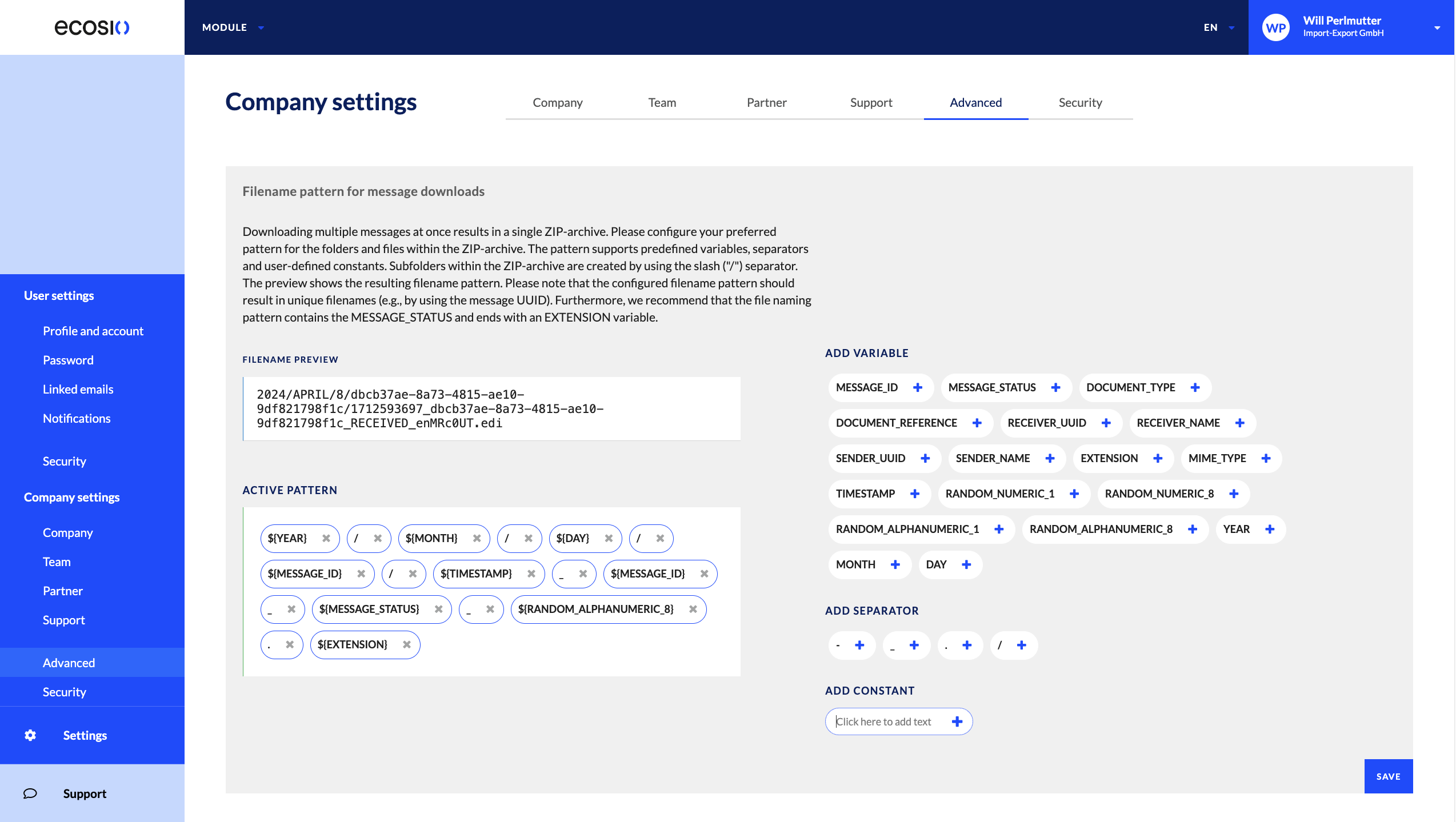
To customise the folder structure and filename for message downloads:
- In the Monitor, go to the company settings by doing one of the following:
- From your user menu, select Company.
- Select Settings from the sidebar.
- Select the Advanced tab.
- (Optional) In the Active pattern field, select a pattern to remove it.
- (Optional) Select a variable from the Add variable section to add it to the end of the active pattern.
- (Optional) Select a separator from the Add separator section to add it to the end of the active pattern. A
/represents a new folder and a-represents a new file. - (Optional) In the Add constant section, enter text to add to the pattern. The text can include a variable, for example
exports/${MESSAGE_ID}. - (Optional) Select to add the constant.
- Select Save.
Updated 8 days ago
What’s Next
Did this page help you?