
Compliance for Saudi Arabia
The Kingdom of Saudi Arabia (KSA) mandates that all invoices must be processed through the Fatoora platform, which is governed by the Zakat, Tax and Customs Authority (ZATCA), KSA's public institution responsible for tax collection and administration.
Document requirements
All B2B, B2C, and B2G invoices must be processed through the Fatoora platform.
KSA compliance summary
Learn more about compliance transaction terms and concepts.
| Aspect | Description | Requirement |
|---|---|---|
| Invoices exchanged between businesses. | Mandatory. Issue standard invoices for | |
| Invoices issued by businesses to consumers. | Mandatory. Issue simplified invoices for | |
| Invoices issued by businesses to public administrations for public procurement. | Mandatory. Issue standard invoices for | |
| Electronic signature | Signature or seal rules for authenticity and integrity of e‑invoices. | Mandatory. Invoices must be signed with a Cryptographic Stamp ID (CSID) using XAdES. For simplified |
| Legal archiving | Minimum retention period for e‑invoices. | Six years minimum. Longer retention may apply based on sectoral or contractual requirements. |
| Model | The e-invoicing flow model used by the country. | Reporting applies to |
| Platform | The government-managed platform for e-invoicing. | Managed by ZATCA through the Fatoora platform. |
| Supported format | The e-invoicing format legally required by the country. | |
| Automatic updates | Whether invoice status updates synchronise automatically in Monitor. | Yes |
Format
KSA's e-invoice format is based on UBL 2.1 and follows the country-specific CIUS, known as the KSA CIUS. This means all the rules from UBL 2.1 apply, along with the additional rules defined in the KSA CIUS. They also support the optional use of PDF/A-3 with embedded XML. For more information, see ZATCA’s Detailed Guidelines for E-invoicing and XML Implementation Standard.
Invoice types
For B2B and B2G invoices, standard invoices must be issued. For B2C invoices, simplified invoices must be issued.
The Invoice Type Code element must contain one of the following codes from the UNTDID 1001 code list.
| Document | Code | Description |
|---|---|---|
| Tax invoice | 388 | An invoice for goods or services from a supplier to a buyer. |
| Credit note | 381 | Used to correct amounts or settle a balance between a supplier and a buyer. Must reference the original invoice ID. |
| Debit note | 383 | A document issued by a supplier to apply additional charges or increase the total value of a previously issued e-invoice. |
| Prepayment invoice | 386 | An invoice claiming advance payment for goods or services. |
In KSA invoices, The cbc:InvoiceTypeCode name attribute must be a 7‑character flag string in using the pattern NNPNESB, where:
- NN (positions 1 and 2): Invoice subtype
01= Tax invoice (standard B2B or B2G invoices)02= Simplified tax invoice (B2C invoices)
- P (position 3): Third-party invoice transaction (
0= false,1= true) - N (position 4): Nominal invoice transaction (
0= false,1= true) - E (position 5): Exports invoice transaction (
0= false,1= true) - S (position 6): Summary invoice transaction (
0= false,1= true) - B (position 7): Self-billed invoice transaction (
0= false,1= true)
ExampleThese examples show the same code value of
388for a standard invoice, and the name attribute’s 7 characters convey the extra transaction flags ZATCA expects.
- Standard tax invoice:
<cbc:InvoiceTypeCode name="0100000">388</cbc:InvoiceTypeCode>- Simplified tax invoice:
<cbc:InvoiceTypeCode name="0200000">388</cbc:InvoiceTypeCode>- Export tax invoice:
<cbc:InvoiceTypeCode name="0100100">388</cbc:InvoiceTypeCode>- Self-billed tax invoice:
<cbc:InvoiceTypeCode name="0100001">388</cbc:InvoiceTypeCode>
Automated e-invoicing flow
ecosio enables you to automate the transmission of compliant e-invoices for both AP and AR e-invoices in KSA.
Accounts receivable flow
The following diagram and steps illustrate the AR process for e-invoices in KSA.
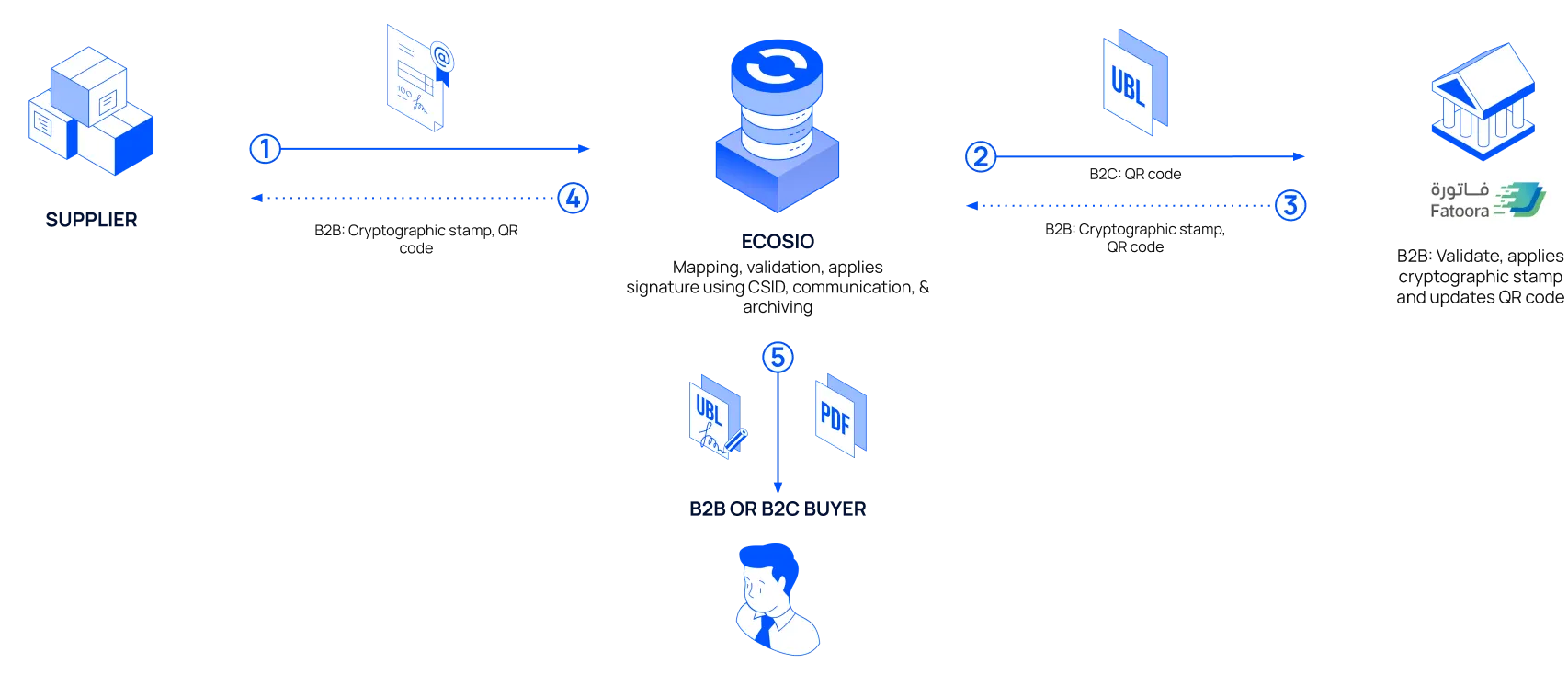
- You send the invoice data from your ERP or business software to ecosio in a structured format, such as IDoc.
- ecosio maps the invoice into the UBL 2.1 format expected by ZATCA, signs it using your CSID, and sends it to your Fatoora portal for clearance (B2B and B2G) or reporting (B2C).
- ZATCA validates the invoice, applies the cryptographic stamp and QR code where applicable, and returns a response with the clearance status, UUID, and timestamp.
- ZATCA returns the cleared invoice to ecosio with a ZATCA cryptographic stamp and the ZATCA-generated QR code.
- ecosio converts the cleared invoice into the buyer’s ERP or business software’s format, and makes it available for them to obtain. If a PDF is generated, the QR code is rendered from the cleared XML.
Accounts payable flow
The following diagram and steps illustrate the AP process for e-invoices in KSA.
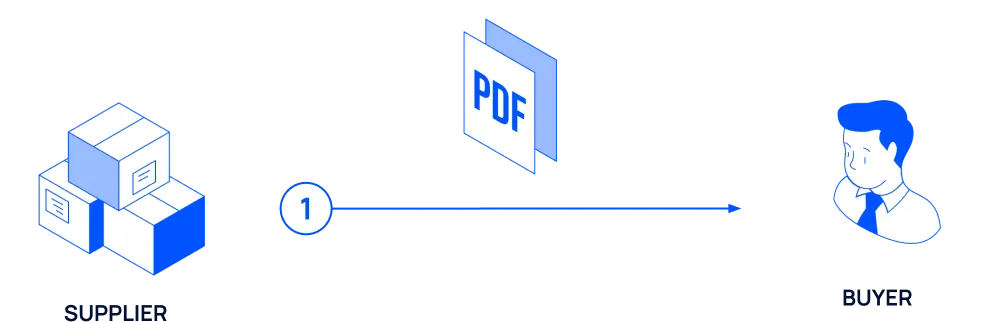
- The supplier sends the invoice to their Fatoora portal.
- ZATCA processes and clears the invoice (B2B and B2G) and applies the cryptographic stamp, or validates the reported invoice (B2C), and makes it available for the supplier to obtain.
- The supplier sends the validated invoice to the buyer.
Legal resources
Here is a list of official documents that define the legal and technical framework for e-invoicing in KSA:
- E-Invoicing Regulation (December 2020): Defines the scope, definitions, and legal mandate for e-invoicing under the VAT Law.
- E-Invoicing Implementation Resolution (December 2021): Specifies controls, technical specifications, and procedural rules for Phases 1 and 2.
- Security Features Implementation Standards: Outlines digital signature rules, invoice hash chaining, CSID usage, and QR code stamping.
- QR Code Generation Guide: Explains the TLV format for QR codes, required tags, and base64 encoding method.
- Fatoora SDK & Sandbox: Developer resources for testing and integration.
Updated 9 days ago